


Latest Variant of GandCrab Ransomware Appears
Another variant of the GandCrab ransomware has appeared again. This latest version of the ransomware, GandCrab v5.0.9, was discovered by a security researcher and was announced on Twitter. AhnLab has since analyzed samples of this ransomware and released the results.
When GandCrab v5.0.9 ransomware is executed, a pop-up window appears, as shown in [Figure 1].
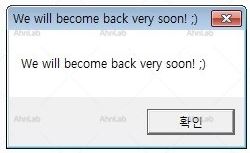
[Figure 1] Pop-up window displayed when GandCrab v5.0.9 is executed
GandCrab v5.0.9 begins to perform malicious actions when the user clicks the OK or the close (X) button. It starts by gathering information about the infected PC and then proceeds with encryption.
When the encryption of files and specific paths is complete, the GandCrab v5.0.9 changes the desktop wallpaper and shows a ransom note to inform the user of the current situation, as shown in [Figure 2].
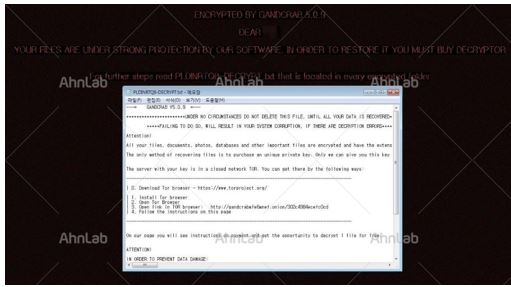
[Figure 2] Changed desktop wallpaper and ransom note
GandCrab v5.0.9 encrypts almost all except the files and paths but leaves out the paths and files extensions below.
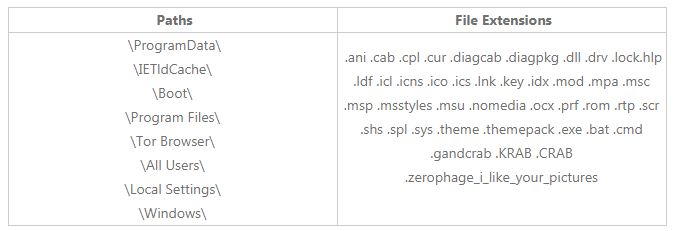
[Table 1] Paths and extensions excluded from encryption
After encryption, GandCrab v5.0.9 encodes the collected information about the infected PC and sends it to the attacker's server. This information consists of the domain name of the infected PC, operating system information, country information, and more. In particular, it also sends result of checking whether anti-virus processes, as shown in [Table 2] exist in the infected system.

[Table 2] Anti-virus processes checked by ransomware on the infected PC
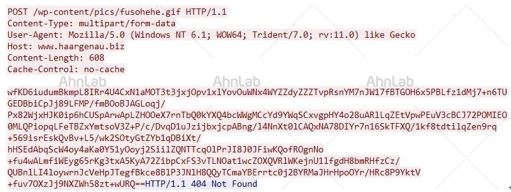
[Figure 3] Encoded information about the infected PC
AhnLab’s V3 products detect GandCrab ransomware under the following alias:
<V3 Product Alias>
Trojan/Win32.Gandcrab
GandCrab ransomware is mainly distributed as an e-mail attachment. In order to prevent attacks from the latest malware, including GandCrab ransomware, users are advised not to open e-mails from unknown senders. In particular, users are strongly advised not to open the attachments from unknown senders. Even when the sender name is that of a well-known company or a known sender, it is a good habit to check that the email address as well. Users are advised to delete any emails from unknown senders and a virus check on attachments should be performed with the latest version of the anti-virus program.


