[Hidden Linux Threats Part 2] From Hidden Rootkit Detection to Remediation
As explained in Part 1, Syslogk can hide processes, files, network communications, and even its own kernel module from standard system queries while continuing to operate in the Linux kernel. These objects remain on the system, but their absence from query results can make them difficult for security products to locate and inspect.
AhnLab V3 Net for Linux Server addresses this challenge with Hidden Rootkit Scan. The feature is part of a response process that detects hidden kernel modules, restores file visibility, and enables malware diagnosis and remediation.

From Customer Request to Hidden Rootkit Detection
In December 2025, a customer in South Korea requested support for detecting and remediating malware hidden on Linux servers. Standard malware response typically begins by examining suspicious files or processes found on the system. The difficulty in this case was locating those objects, because Syslogk kept them out of standard query results.
The key challenge was to detect the hidden components before their associated files could be examined. AhnLab analyzed how Syslogk hides itself and developed a method for detecting hidden rootkits on Linux servers.
Building Hidden Rootkit Detection into V3
ASEC's analysis focused on how Syslogk hides its kernel module and related files. AhnLab used these findings to implement Hidden Rootkit Scan in AhnLab V3 Net for Linux Server, extending the response process to include components that standard system queries could not reveal.
The feature detects hidden kernel modules and makes them visible again. Once the malicious module has been removed and the associated files are visible, the V3 engine can scan those files, determine whether they are malicious, and remediate any detected malware.
Previously, remediation required a separate script. AhnLab V3 Net for Linux Server now supports the entire process within the product, from hidden rootkit detection to remediation of the associated files.
Hidden Rootkit Detection and Remediation Process
The hidden rootkit response process in V3 Net for Linux Server consists of five steps
① Detect: V3 Net for Linux Server identifies kernel modules that do not appear in the standard kernel module list, including the module used by Syslogk.
② Unhide: The detected kernel module is made visible again, allowing the product to access it and proceed to the next step.
③ Remove: The malicious kernel module is removed from the Linux kernel, stopping the functions Syslogk uses to hide related objects.
④ Diagnose: The previously hidden files are passed to the V3 TS engine, which scans them to determine whether they are malicious.
⑤ Treat: Files identified as malicious in the diagnosis step are remediated.
Detection and Remediation Verified in an Actual Infected Environment
ASEC tested Hidden Rootkit Scan in a Syslogk-infected environment to verify the detection and remediation process. Before the scan, running ls and ll in the ~/test directory displayed only flock_repro.c, ptestfile, and trigger_rename.sh. Other files were present in the directory but remained hidden from the command output.
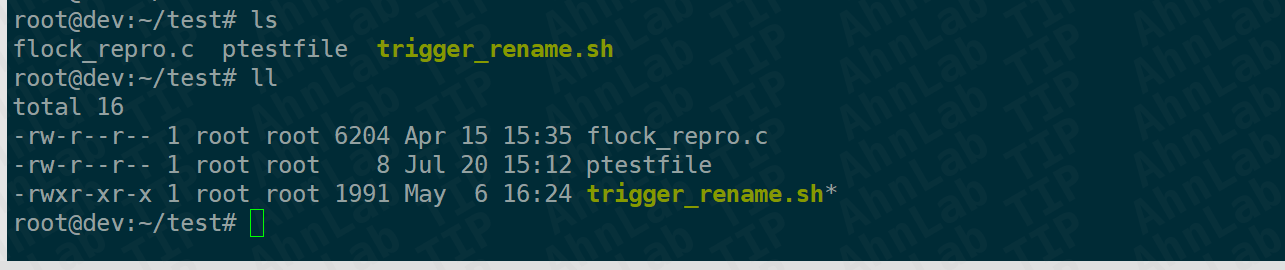
[Figure 1] Files hidden by Syslogk
ASEC then ran Hidden Rootkit Scan in AhnLab V3 Net for Linux Server. The scan detected the hidden kernel module and restored its visibility, as recorded in the event log..
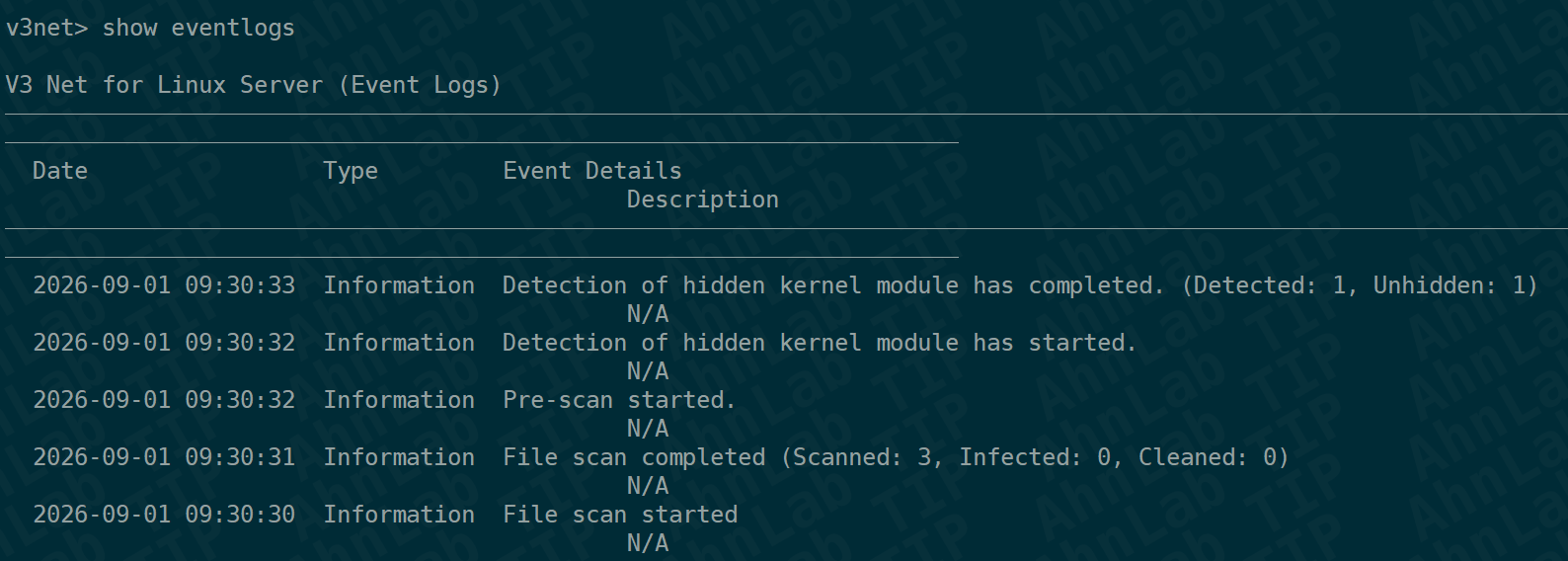
[Figure 2] Hidden kernel module detected and unhidden
After the response process, running ls again in the same ~/test directory displayed the previously hidden entries. This confirmed that files missing from the original listing were visible again. The V3 engine can then scan the files and remediate any files identified as malicious.
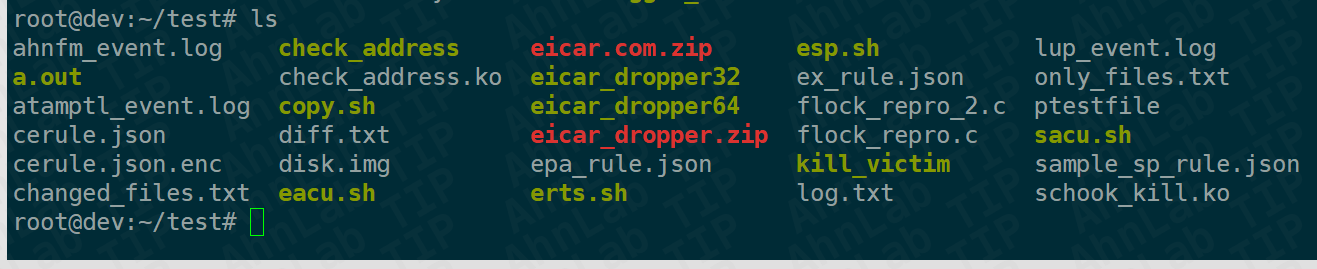
[Figure 3] Previously hidden files displayed in ~/test after the response process
Turning a Customer Security Challenge into a Product Capability
This case shows how a security issue reported by a customer led to both threat analysis and product development. ASEC's analysis identified a gap in the existing inspection process: files hidden by Syslogk could not be examined by the malware scanner. AhnLab addressed this gap by adding hidden kernel module detection and visibility restoration to V3 Net for Linux Server, so the V3 engine could inspect the related files and remediate those found to be malicious.
AhnLab continues to strengthen its Linux server security capabilities by applying ASEC's threat analysis to security challenges identified in customer environments.
▶ Learn more about AhnLab V3 for Linux Server
More Detailed Syslogk Analysis
This article has examined Hidden Rootkit Scan in V3 Net for Linux Server and the response process that makes hidden files available for diagnosis and remediation. Part 1 explains in detail how Syslogk hides processes, TCP communications, files and directories, and its own kernel module within the Linux kernel.
- AhnLab


