


The Hidden Threat Behind Fake CAPTCHAs and Installation Guides: Why ClickFix Is Dangerous
Attackers are increasingly abusing seemingly legitimate user-initiated actions—such as clicking a button or executing a command—to distribute malware through a technique known as ClickFix. At first glance, ClickFix may appear to be a robot verification prompt, CAPTCHA verificaiton, or software installation guide. In reality, however, it is a social engineering technique designed to trick users into manually executing malicious commands.
Recently, ClickFix has been observed across multiple infection vectors, including compromised legitimate websites, search ad–driven phishing pages, and fake software installation guides. These campaigns have been used to deliver infostealers, underscoring how trusted online interactions can be abused as part of the malware execution chain. This article examines how ClickFix attacks work and highlights key precautions based on real-world distribution cases.
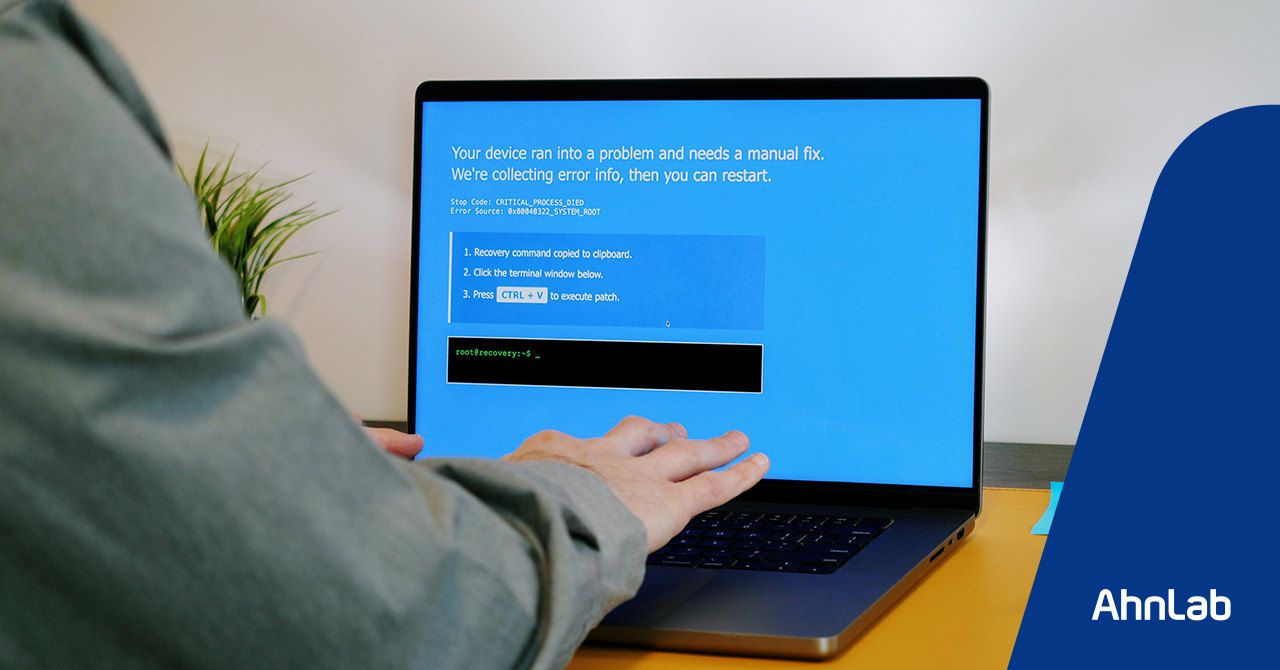
(Image Source: Matt Fowler KC - stock.adobe.com)
What Is ClickFix?
ClickFix is a social engineering attack technique that makes users believe they are completing a verification step or troubleshooting process, while in reality prompting them to execute a malicious command. Attackers typically display pages or prompts that impersonate robot verification CAPTCHAs, browser error messages, software installation guides, or security checks to induce user action.
A typical attack flow works as follows:
- The user clicks a button such as “I’m not a robot” or “Verify”.
- JavaScript on the webpage copies a malicious command to the clipboard.
- The page then displays instructions that prompt the user to paste and run the copied command.
- Once user executes the command, the malicious script runs on the system.
What makes this technique particularly dangerous is that attackers do not necessarily need to exploit a software vulnerability. Because the user executes the command directly, the activity may appear to be legitimate user behavior. In particular, by using legitimate administrative tools and shell environments such as PowerShell, terminal sessions, curl, or bash, attackers may be able to evade or delay detection by security controls.
How Attackers Are Using ClickFix
Recent ClickFix attacks go beyond simply displaying fake CAPTCHA screens. They are increasingly being combined with various entry points that users are likely to trust. Common examples include compromising legitimate websites to redirect users to malicious pages, or abusing search advertisements to expose phishing pages that appear to be official documentation. Attackers have also been observed using familiar-looking software installation guides or security verification procedures to lower user suspicion.
The core of this attack is to induce direct user action. Attackers exploit processes that appear to be normal user behavior, such as clicking a button, copying a command, or running it in a terminal or command prompt. This is especially effective in the context of developer tools or utility installations, where users are often accustomed to copying and executing installation commands. Attackers can exploit this habit and turn it into a malware execution path.
Ultimately, ClickFix does not rely primarily on exploiting technical vulnerabilities. Instead, it turns user trust and routine behavior into part of the attack chain. Even if a screen appears to be a normal CAPTCHA or installation guide, users should be cautious if it asks them to execute commands or run files or scripts from an unclear source, as this may lead to malicious activity.
Campaign 1: LummaC2 Distributed via a Compromised Korean Website
A LummaC2 infostealer campaign was observed leveraging the ClickFix technique through a compromised Korean online curation magazine site. LummaC2 is an information-stealing malware family capable of exfiltrating sensitive data from infected systems, including account credentials, browser-related data, and cryptocurrency wallet information.
In this case, the attacker tampered with a legitimate webpage to redirect users to a malicious page and lured them into clicking through a screen disguised as a CAPTCHA verification prompt. When users followed the instructions and executed the command, the infection proceeded as additional malware was downloaded and executed.
During this process, users may believe they are completing a normal verification step or resolving an error. In reality, however, they are executing a command prepared by the attacker, which can ultimately lead to infostealer infection and data theft.
This case demonstrates that ClickFix can be distributed not only through overseas phishing pages or fake download sites, but also through compromised legitimate websites that Korean users may visit in their everyday browsing. Even when accessing a familiar website, users should be suspicious of unexpected CAPTCHA screens, command execution instructions, or procedures disguised as security checks.
Campaign 2: AMOS Distributed via Search Ads
The AMOS infostealer campaign illustrates another way ClickFix can be abused. In this case, attackers used Google search ads to direct users to a phishing page disguised as installation documentation for an AI development tool. Users copied and executed the installation command provided on the phishing page, but the command was actually crafted to download and execute a malicious script from an external source.
The key point in this case is that the attackers did not simply trick users into downloading a file. Instead, they abused a process users were already familiar with copying and running an installation command. This approach is particularly effective for developer tools or CLI-based utilities, where terminal commands are commonly used during installation. As a result, users may mistake the malicious sequence for a legitimate installation procedure.
The AMOS distribution case shows that even common actions such as searching for and installing software can become the starting point of an attack. Users should not assume that a sponsored link displayed at the top of search results necessarily leads to an official website. Before installing software, they should verify the official domain and carefully review the command they are about to run.
Key Precautions for Users
ClickFix attacks exploit user psychology and habits rather than technically complex vulnerabilities. Users should be especially cautious in the following situations:
- Unexpected CAPTCHA or security verification prompts: If a website suddenly displays a CAPTCHA or security verification screen and then instructs the user to press a specific key combination or execute a command, it is unlikely to be a legitimate verification process. A normal CAPTCHA does not ask users to paste commands into Command Prompt, PowerShell, or a terminal.
- Sponsored links in search results: Users should not assume that an advertisement link displayed at the top of search results is an official website. Sponsored links may direct users to phishing pages, so users should always verify the official domain before installing developer tools or software.
- Copy-and-paste installation commands: Users should not blindly copy and execute commands included in installation guides. Installation commands provided in copy-and-paste format should be reviewed before execution. If a command comes from an unverified source or is difficult to understand, users should not execute it.
- Suspicious behavior on legitimate-looking websites: Users should keep in mind that suspicious activity can also occur on websites that appear legitimate. If a legitimate site is compromised, it may be abused as a distribution channel for malicious scripts.
Mitigation Measures and Security Best Practices
Individual users should avoid clicking suspicious pop-ups or CAPTCHA screens. If such a screen appears, they should immediately close the browser or return to the previous page. If a website asks them to run PowerShell, Command Prompt, or a terminal, they should not follow the instruction and should leave the site immediately.
Enterprise security teams should strengthen user awareness as well as technical detection and prevention controls. To defend against search ad–based phishing, organizations should implement DNS filtering, proxy-based URL filtering, and phishing URL blocking policies. Security awareness training should also cover macOS users, as infostealer campaigns increasingly target multiple operating systems.
From an endpoint security perspective, organizations should monitor for attempts to download and execute scripts directly from external URLs.
If an infection is suspected, simply changing passwords is not enough. Infostealers can exfiltrate a wide range of sensitive information, including account credentials, browser-stored data, session cookies, business-related data, and cryptocurrency-related information. Therefore, organizations and users should assess the possibility of data exfiltration and investigate whether any additional damage has occurred.
- AhnLabContents Creatives Team