Case Study: Zero Trust Security With Next-Gen Firewall & EPP
Based on an ever-evolving unified security strategy, AhnLab provides "Zero Trust" security by integrating its Endpoint Protection Platform (EPP) with next-generation firewalls. In particular, AhnLab XTG, a new next-generation firewall launched in the first half of 2025, delivers significantly enhanced performance compared to the existing AhnLab TrusGuard and provides functionality designed for next-generation security, including Zero Trust Network Access (ZTNA).
This case study explores how endpoint-network integrated Zero Trust security is implemented by integrating AhnLab EPP with AhnLab XTG.
EPP & XTG Integration Case 1: Device Control Using SSL VPN
The core of device-based control integration is that the EPP server manages internal network PCs on which agents are installed, while XTG collects various types of information about those PCs from the EPP server and applies diverse firewall features, such as allowing or blocking traffic according to administrator-defined device control policies. In this process, XTG does not require a separate agent to be installed (agentless), allowing users to operate endpoint-network integrated security more efficiently.
Device-based control operation cases for EPP and XTG can be broadly categorized into ▲control based on OS version and ▲control based on V3 installation status.
1. Control Based on OS Version
Let's assume that there are still endpoints in a company running Windows 7. Windows 7 is a version for which Microsoft has ended support, making it difficult to apply patches when security issues arise. Although most systems have now migrated to Windows 10 or 11, there are cases where Windows 7 continues to be used due to unavoidable circumstances or simply because it has not been noticed.
First, when EPP identifies endpoints running Windows 7, integration with XTG allows internal network access to be permitted for those PCs while blocking Internet access and applying anti-spam functionality. In addition, access to malicious websites and C&C connections can be blocked for PCs running versions earlier than Windows 10. If there are PCs running Windows 8 or 8.1, it is also possible to apply SSL Proxy and DLP features.
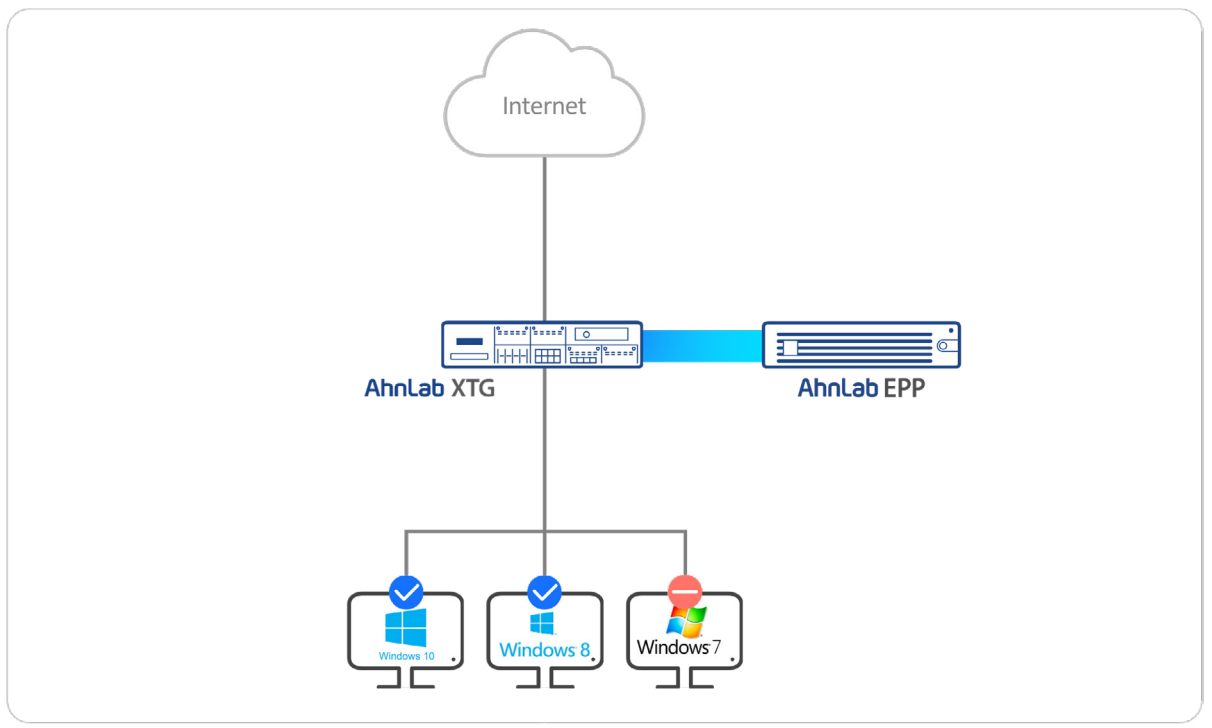
Control Based on OS Version
Beyond this, PCs running Windows 7 can be configured to allow only the messaging function of KakaoTalk while blocking file uploads and downloads. For PCs running versions earlier than Windows 10, remote access can be prevented, and for Windows 8 PCs, bandwidth can be limited to 1 Mbps and the number of sessions to 10,000. In this way, OS-related security information identified at the endpoint can be integrated with XTG's application and device control features to achieve highly effective security outcomes.
2. Control Based on V3 Installation Status
Controlling endpoints based on whether V3 is installed can be considered the most fundamental operation case in this scenario. If the number of employee PCs managed by security administrators is small, manual management is feasible. However, when the scale reaches the thousands or even tens of thousands, PCs without a basic anti-malware program are common.
EPP can enforce the installation of V3 through policy application. However, when such policies are not applied, PCs without anti-malware software may exist for various reasons. In such cases, the installation status of V3 can be identified, and for endpoints where it is not installed, network access can be blocked or partially allowed through integration with XTG.
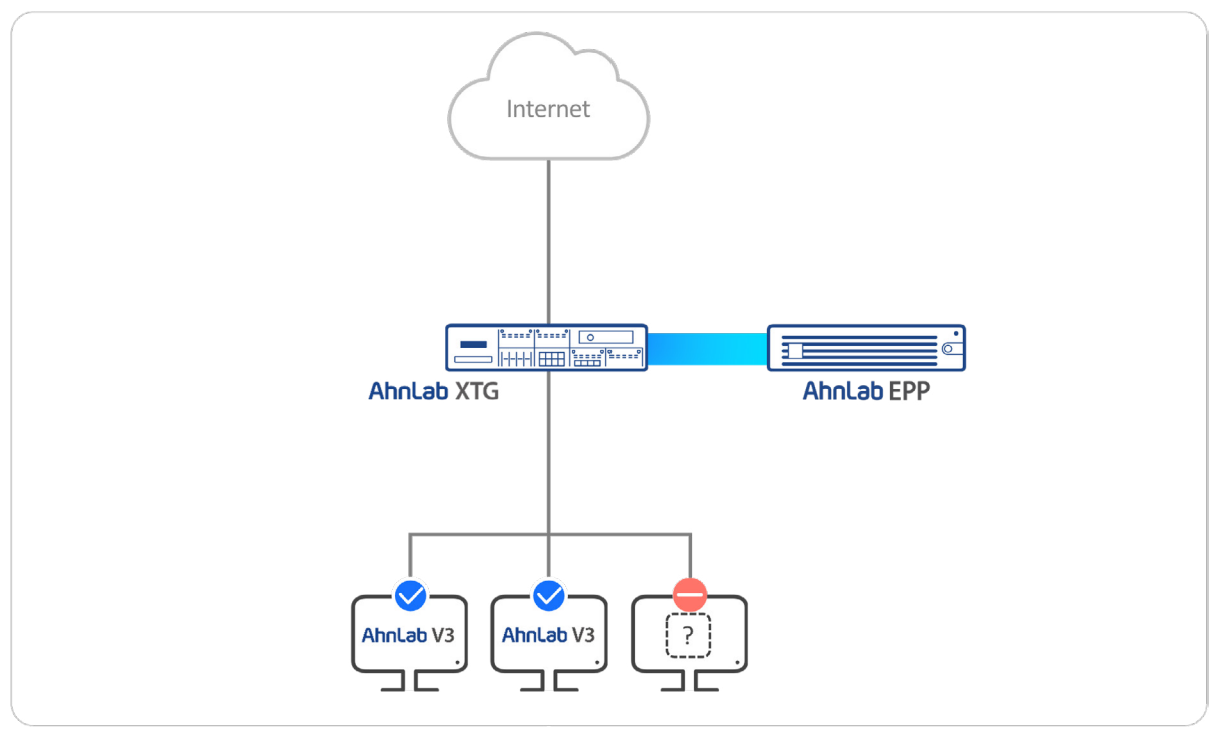
Control Based on V3 Installation Status
The detailed application methods are similar to the two cases described above. Access to specific external websites can be allowed only for PCs with V3 installed. For messaging services, access can be blocked for PCs without V3, while allowing KakaoTalk file uploads and downloads only on PCs where V3 is installed. In addition, PCs without V3 installed can have all security threat response features applied, such as intrusion prevention systems (IPS), web filtering, anti-spam, and malicious site blocking. In this way, a wide range of security policies can be applied depending on the presence of V3.
Conclusion
The recent security landscape can be summarized by two key trends: ▲increasingly sophisticated threats ▲growing security complexity. In other words, as attack techniques become more advanced, organizations face greater security complexity, requiring them to deploy many solutions and analyze an increasing volume of security data.
An effective strategy to address these two challenges is unified security. As demonstrated by the endpoint-network integrated security operation cases discussed here, when organizations apply a unified security strategy correctly, they can build a stronger and more efficient zero trust security framework and establish a stable business environment.
We hope that organizations considering a Zero Trust strategy will adopt a unified security framework and enhance their long-term business competitiveness.